우분투 22.04, cuda 11.8 환경에서 onnxruntime-gpu 설치 후 추론하려하는데 계속 gpu를 못 잡고 cpu로 도는 문제 발생
chatgpt에 아무리 물어봐도 답은 나오지 않아서 결국 직접 공식문서를 찾아봤다.
답은 설치 자체를 아예 다르게 했어야 했다.
다음은 onnx runtime 공식문서의 답변이다.
https://onnxruntime.ai/docs/execution-providers/CUDA-ExecutionProvider.html
NVIDIA - CUDA
Instructions to execute ONNX Runtime applications with CUDA
onnxruntime.ai
https://onnxruntime.ai/docs/install/
Install ONNX Runtime
Instructions to install ONNX Runtime on your target platform in your environment
onnxruntime.ai
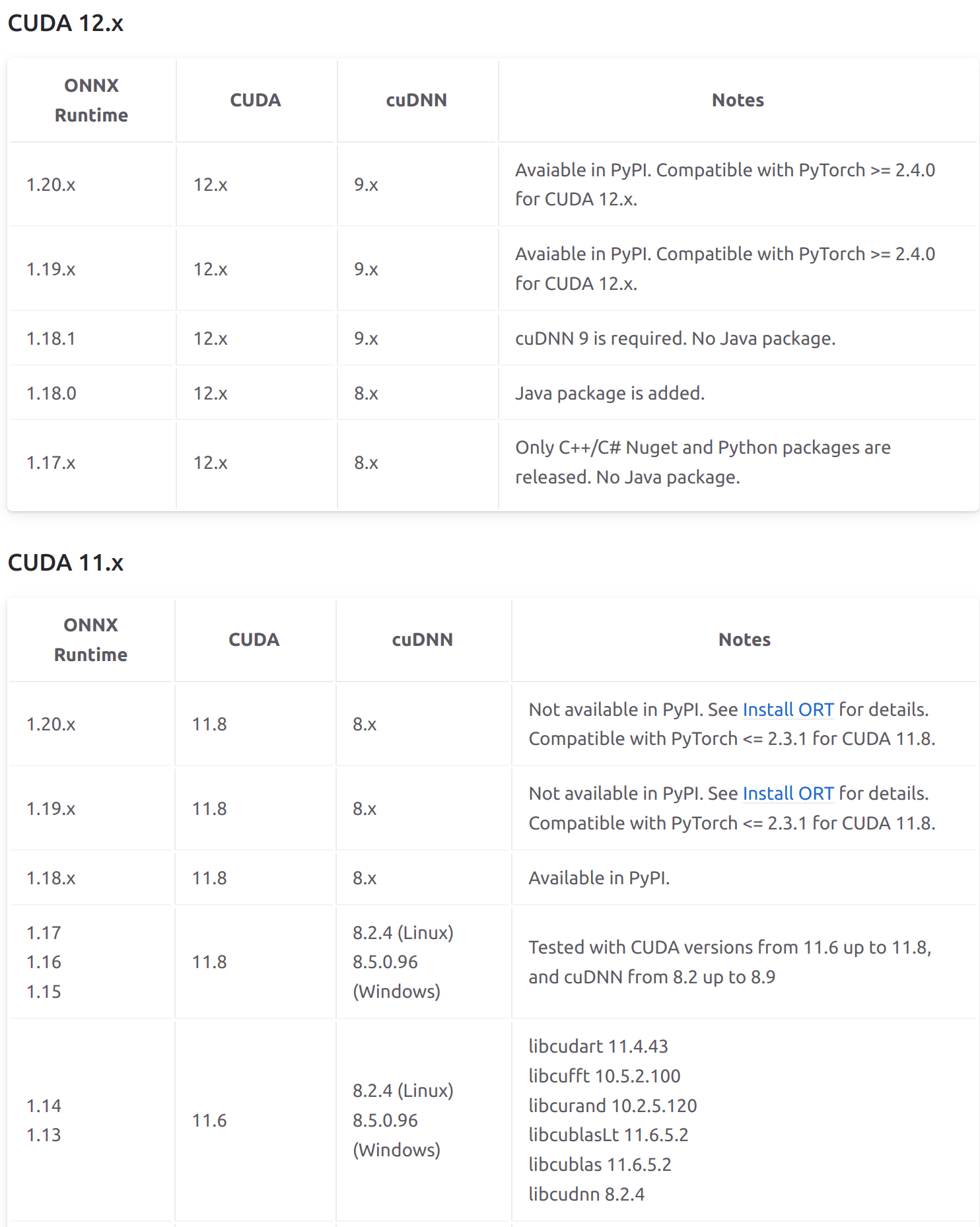
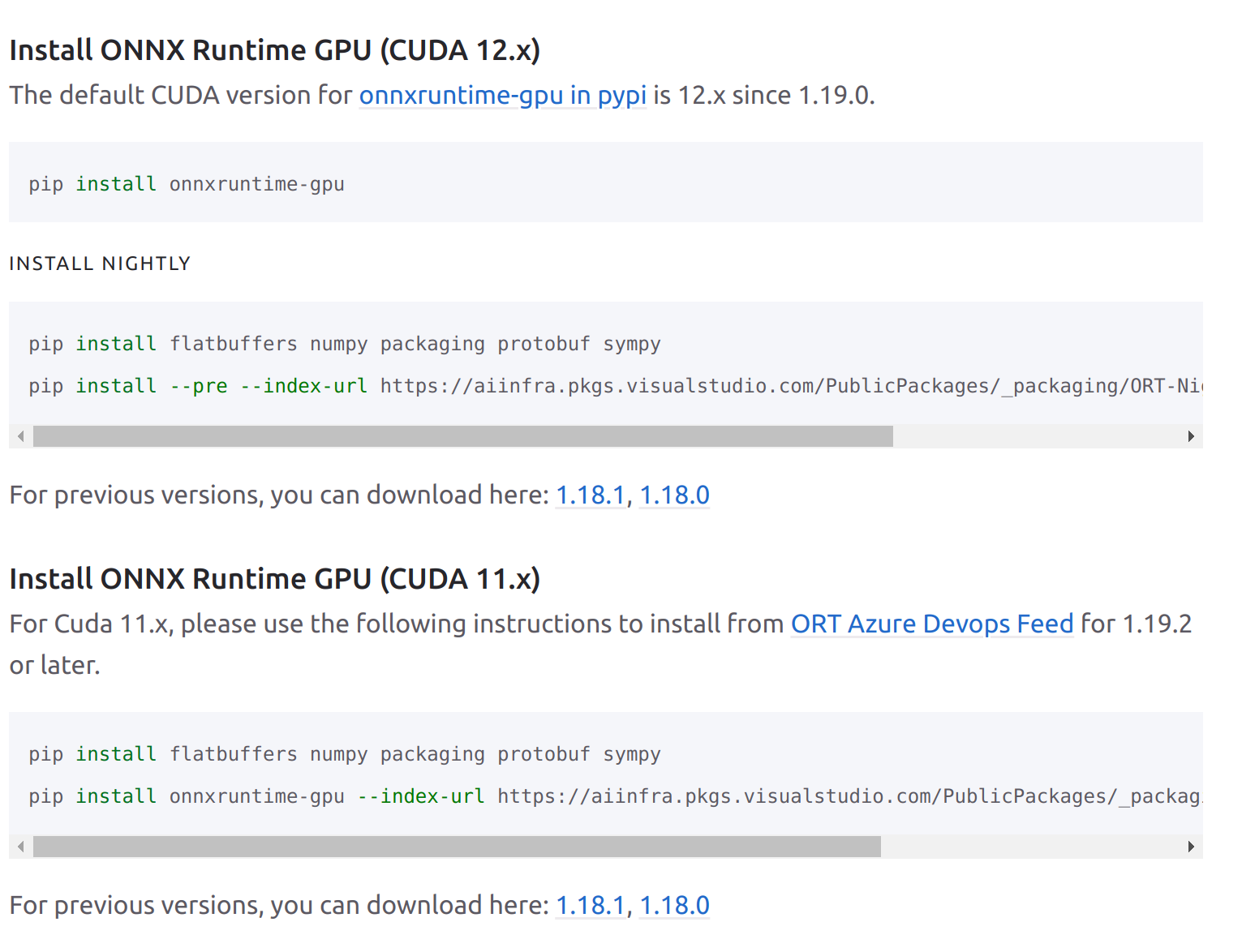
위에 읽어보면 Not available in PYPI라고 나와있다.
즉 pip install onnxruntime-gpu==1.xx.x 아무리 해도 gpu못잡고, 추가로 Pytorch 버전도 2.3.1까지만 지원한다.
그동안 로컬에 cuda, cudnn설치 및 버전 맞추기 귀찮아서 docker images로 편하게 사용해왔는데
pytorch 2.7.1-cuda11.8-cudnn9-devel 이미지로 아무리 onnxruntime 버전 맞추려해도 안되는게 당연했다.
pytorch 이미지를 2.3.1-cuda11.8-cudnn8-devel로 변경 후 위에 나온
pip install flatbuffers numpy packaging protobuf sympy
pip install onnxruntime-gpu --index-url https://aiinfra.pkgs.visualstudio.com/PublicPackages/_packaging/onnxruntime-cuda-11/pypi/simple/
로 설치하니까 드디어 gpu를 찾고 cpu와 비교하여 눈에 띄게 빠른 속도로 추론시작했다.
아니 이럴꺼면 그냥 PYPI onnxruntime-gpu의 새로운 버전에 등록해주지 굳이 왜... 이런 고통을 줄까...
'에러모음' 카테고리의 다른 글
| VScode 파이썬 코드 불 안들어올때 (0) | 2025.05.07 |
|---|---|
| 우분투 설치 후 nvidia-driver 설치시 보안부팅 문제 (0) | 2025.05.01 |
| 벤토리 우분투 설치 시 보안부팅 설정(Verification Failed) (0) | 2025.05.01 |
| 우분투 22.04 크롬 최신버전 한글문제 (0) | 2025.05.01 |
| qt.qpa.plugin: Could not load the Qt platform plugin "xcb" in error (0) | 2025.04.21 |